

SNMP tutorial: how snmpwalk and snmpget work

The Simple Network Management Protocol (SNMP) is one of the established protocols for communication in computer networks. Various management tools use this client-server protocol, released in 1990, to enable the user to centrally monitor and control all network devices such as routers, switches, or NAS systems. The snmpwalk and snmpget tools allow you to retrieve records from MIBs (Management Information Bases) of selected SNMP agents that are installed by default on most Windows and Linux devices. What exactly these two applications can do and how they work is explained in this SNMP tutorial.
What’s behind the snmpwalk and snmpget tools?
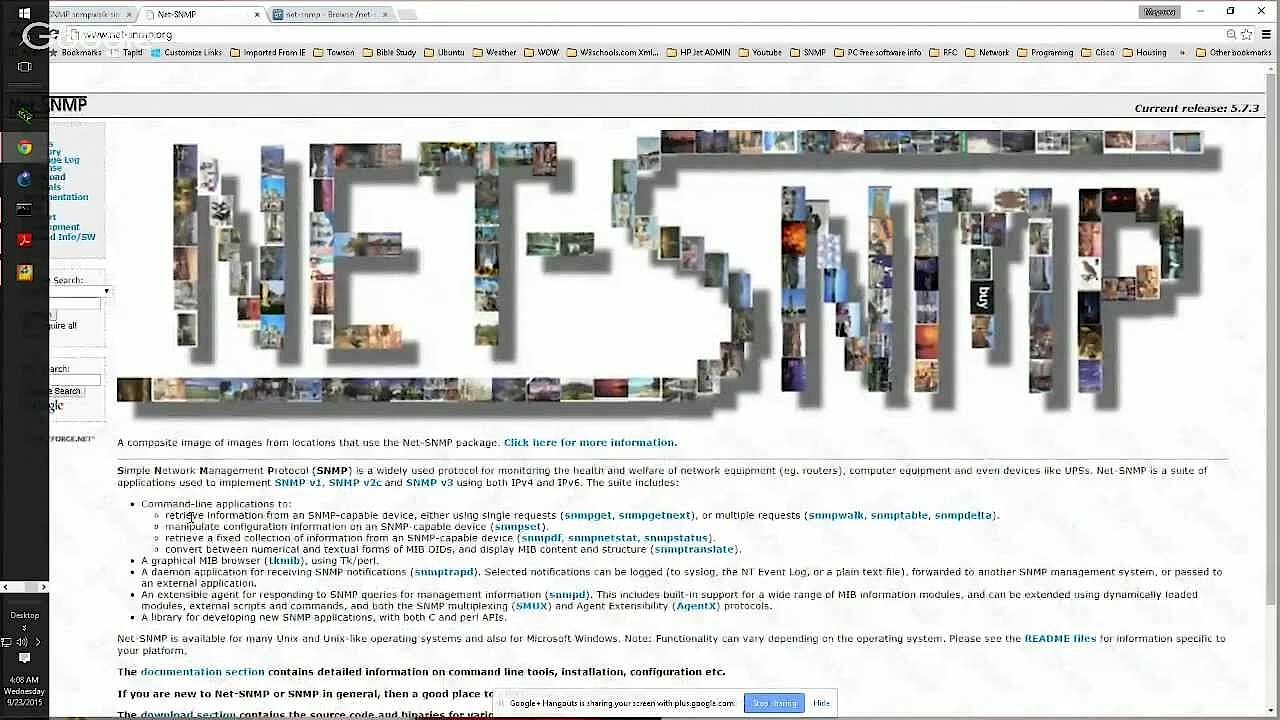
The command line tools snmpwalk and snmpget are part of the Net-SNMP suite, which implements and uses SNMP in IPv4 and IPv6 networks. The tool collection is available for most UNIX and Linux systems (in the package manager) as well as for Microsoft Windows, whereby the functionality of the individual applications can vary slightly from system to system. snmpwalk and snmpget are among the included solutions for retrieving information from SNMP-enabled devices using simple GET requests (snmpget) or multiple GETNEXT requests (snmpwalk).
 To display this video, third-party cookies are required. You can access and change your cookie settings here.
snmpget: simple SNMP queries
The snmpget application can be used to retrieve information from a network subscriber via the Simple Network Management Protocol. It uses the SNMP message type “GET”, which requests a specific record on the target system. For this purpose, the host (name or IP address), the community string or authentication information (SNMPv3), and the appropriate identification number (Object Identifier, OID) must be specified as arguments.
snmpget [options] [community string/authentication information] [host name/address] [object identifier]snmpwalk: SNMP queries of complete MIBs
With the snmpwalk tool, you not only retrieve a specific data set on the targeted SNMP-enabled device, but also subsequent data sets (relevant for tables, for example). In order to query a complete information tree like this (i.e. a complete MIB), snmpwalk uses messages from the “GETNEXT” type, which request information from the agent until the end of the respective MIB is reached. The syntax of snmpwalk does not differ from the simple queries with snmpget.
snmpwalk [options] [community string/authentification information] [host name/address] [OID]SNMP tutorial: the most important snmpget and snmpwalk commands
As command line tools, snmpwalk and snmpget can be easily operated from the terminal or command prompt. If you have installed the Net-SNMP suite on your system, you can immediately start querying the desired network information by opening the respective command line. We have summarised some crucial commands for both programs in this SNMP tutorial.
Installation packages for Net-SNMP can be found in the download area of the official website. Since the binary files for Windows are based on OpenSSL version 0.9.8r, the installation does not work on systems that have installed version 1.0 or higher for compatibility reasons.
This is how data retrieval works with snmpget
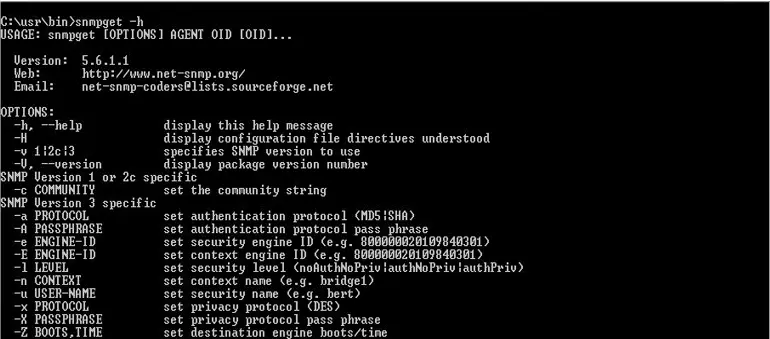
To simplify the introduction to snmpget and its possibilities, you can access the help menu as the first step. This lists the available parameters including short explanations and can be opened with the following command:
snmpget -h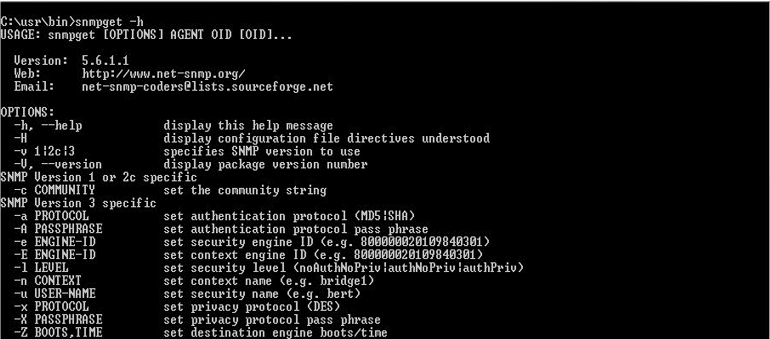
What the command for a standard query of a selected record looks like depends primarily on the underlying protocol version. This is specified in the parameters and determines whether the community string (SNMPv1 and SNMPv2c) or the respective authentication method (authNoPriv, authPriv, noAuthNoPriv) including the corresponding credentials (SNMPv3) follows. For example, to query whether a firmware update or an operating system update is available, type in one of the following five version-specific command options:
snmpget query via SNMPv1:
snmpget -v1 -c [Community string] [IP address of the host] [OID for update check]snmpget query via SNMPv2:
snmpget -v2c -c [Community string] [IP address of the host] [OID for update check]snmpget query via SNMPv3 (authentication, but no encryption):
snmpget -v3 -l authNoPriv -u [user name] -a MD5 -A [MD5 hash of user password] [IP address of host] [OID for update check]snmpget query via SNMPv3 (authentication and encryption):
snmpget -v3 -l authPriv -u [user name] -a MD5 -A [user password] -x DES -X [DES password] [IP address of host] [OID for update check]snmpget query via SNMPv3 (no authentication, no encryption):
snmpget -v3 -l noAuthNoPriv -u [User name] [IP address of the host] [OID for update check]The result of the query is a numeric value that informs you about the update status. For example, the value “1” indicates that an update is available, while the value “2” is presented if the firmware or operating system is already up to date. To better read and interpret the return values, download the required MIB on the computer you are using to perform the SNMP query, and copy the corresponding file to the /usr/share/snmp/mibs directory. Under Linux/UNIX, you can install an MIB downloader for this purpose, which supports you in this project.
sudo apt install snmp-mibs-downloaderHow to query complete MIBs with snmpwalk
snmpwalk also gives you the possibility to call up an overview of required and available parameters. This help menu appears after entering the following command:
snmpwalk -h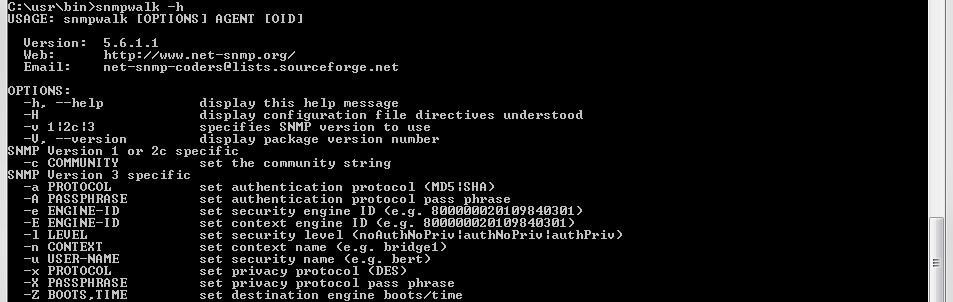
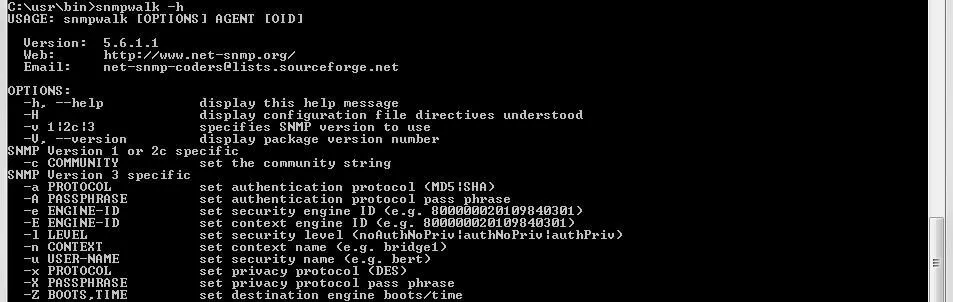
snmpwalk also hardly differs from snmpget when it comes to data retrieval. The main difference is the execution of the commands: While snmpget only returns a single value to the requested OID or displays an error message if no object behind the identification number is available, snmpwalk also traverses all subnodes. For example, a detailed list of relevant system information can be displayed if the identification number of the corresponding MIB is known. As with simple GET requests, the required commands depend on the selected protocol version:
snmpwalk query via SNMPv1:
<p>snmpwalk -v1 -c [Community string] [IP address of the host] [OID of the system information MIB]</p>snmpwalk query via SNMPv2:
snmpwalk -v2c -c -c [Community string] [IP address of host] [OID of system information MIB]snmpwalk query via SNMPv3 (authentication, but no encryption):
snmpwalk -v3 -l authNoPriv -u [User name] -a MD5 -A [User password] [IP address of host] [OID of system information MIB]snmpwalk query via SNMPv3 (authentication and encryption):
snmpwalk -v3 -l authPriv -u [User name] -a MD5 -A [User password] -x DES -X [DES password] [IP address of host] [OID of system information MIB]snmpwalk query via SNMPv3 (no authentication, no encryption):
snmpwalk -v3 -l noAuthNoPriv -u [User name] [IP address of the host] [OID of the system information MIB]Summary: snmpwalk and snmpget for simple SNMP queries
snmpwalk and snmpget help you to retrieve desired network data via the Simple Network Management Protocol. As part of the Net-SNMP suite, the two command line tools are quickly installed on your system and just as easy to use. This SNMP tutorial has shown how easy it is to control a single piece of information or a complete block of information, if you know the IP address of the SNMP agent and the respective object identifier.
Reviewer

Christian Heldmaier
Christian Heldmaier is an experienced online marketing and SEO specialist from Karlsruhe. He has been working as an SEO Manager at IONOS since July 2020.